
Macaron for desktop
Run Claude Code, Codex and Macaron's own agent on your projects, with undo for every turn, checks before and after, and a computer of their own that can't touch your Mac.
macOS · Apple silicon. Free to download and use locally with your own model accounts.
Preview release. The Mac app isn't signed by Apple yet, so opening it the first time takes one extra step (see Install on Mac below). Updates install themselves.
Version 0.1.3 · October 2, 2026 · checksums
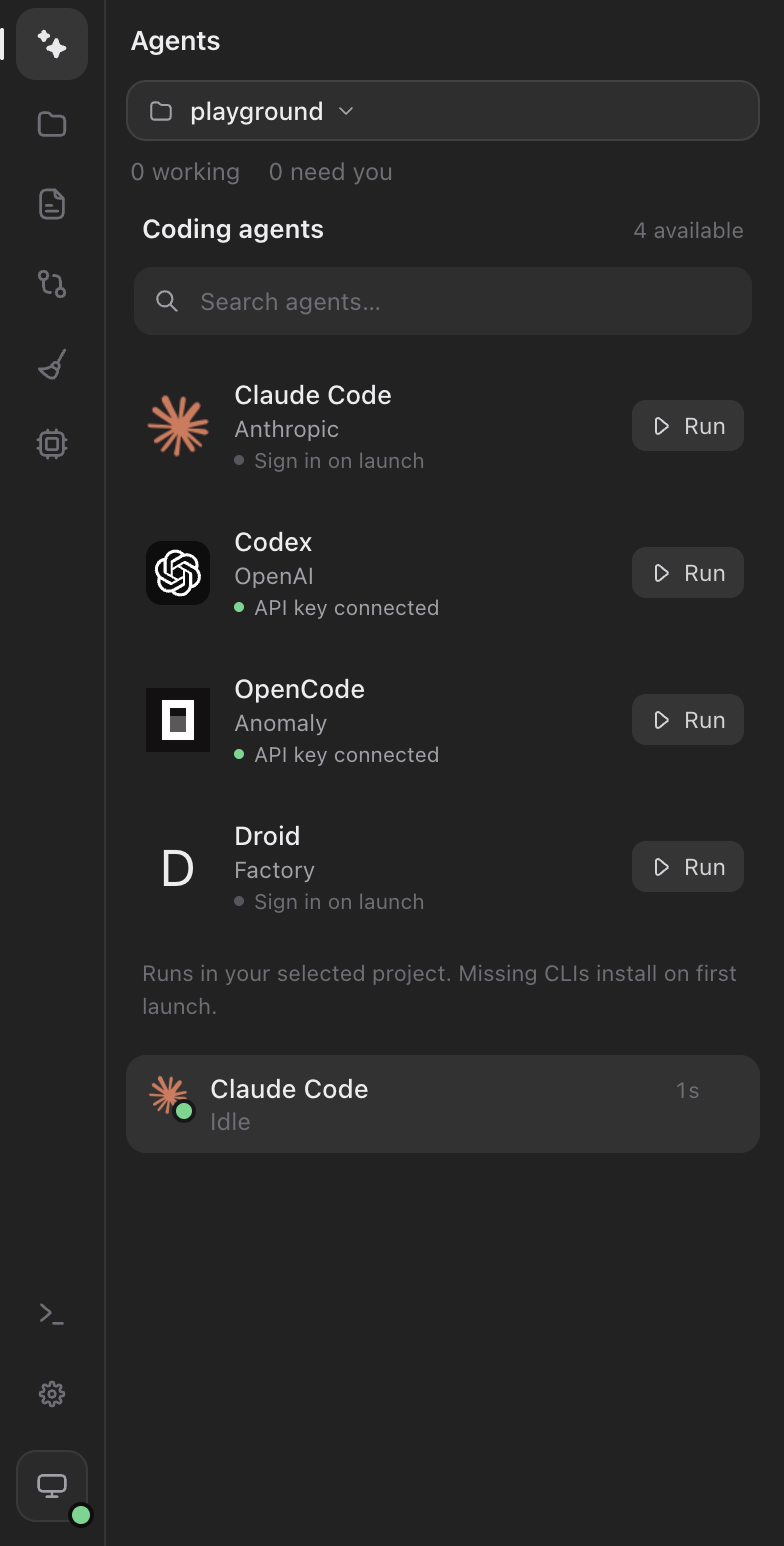
The agents you already use, in one place
Start Claude Code, Codex or Macaron's own agent in any project, on your own subscriptions and keys. Each chat shows what it's doing as it works, and you can run several side by side.
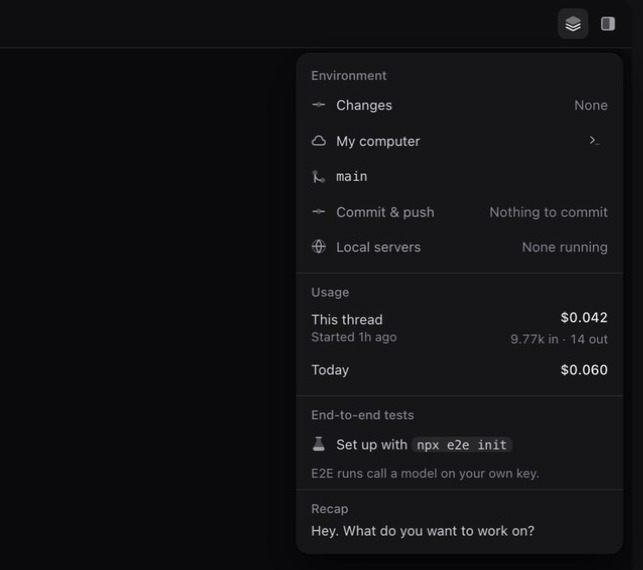
Everything about a thread, one click away
One panel shows what changed, which computer and branch it runs on, what it has cost, your repository and end-to-end tests, with Commit & push right there. If the computer is paused, it says so and offers to resume it.
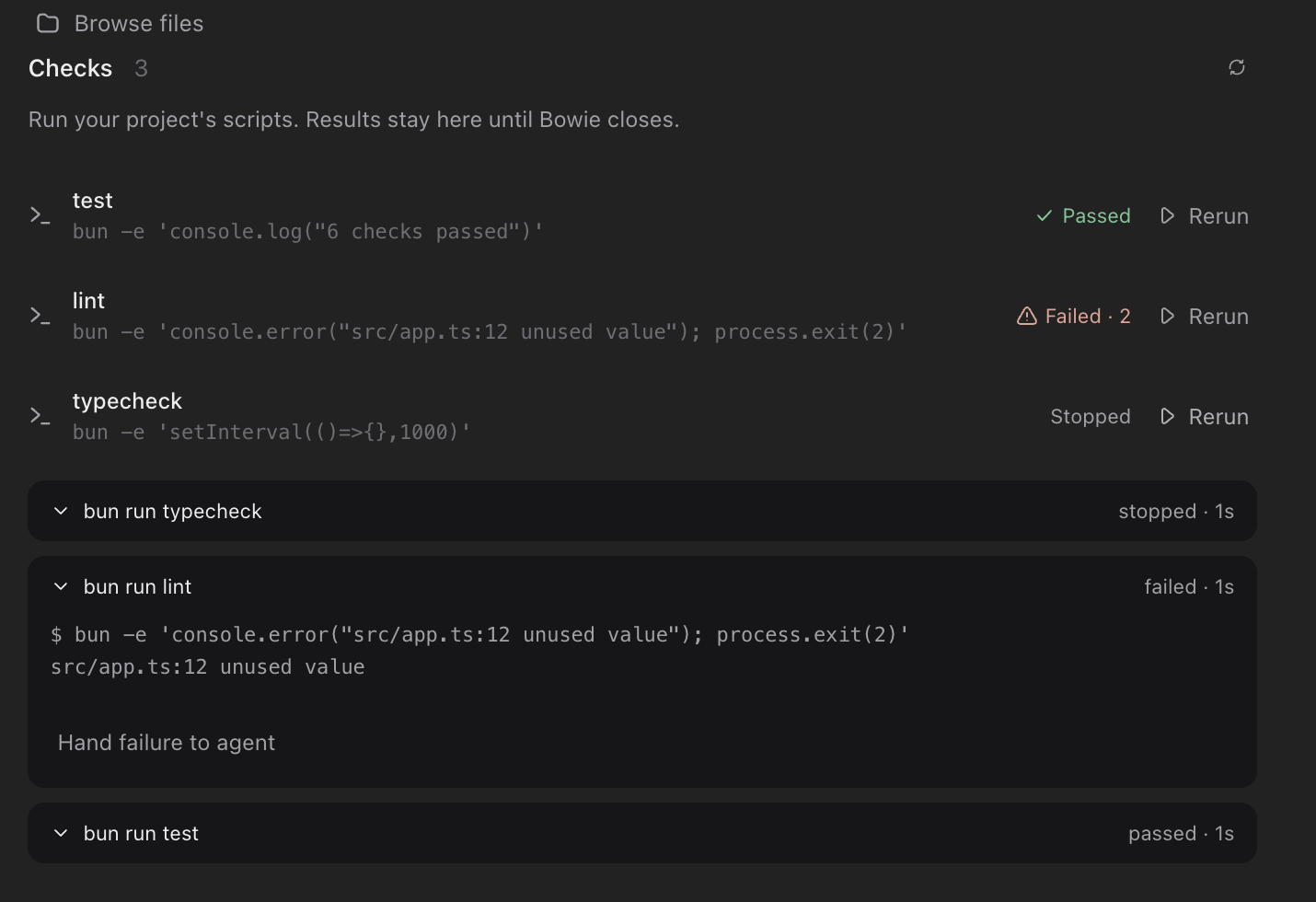
Checks before and after every change
Macaron finds your project's test, lint and typecheck scripts and runs them around each turn, so a failure is known to be new. Results come from exit codes, never from what an agent says.
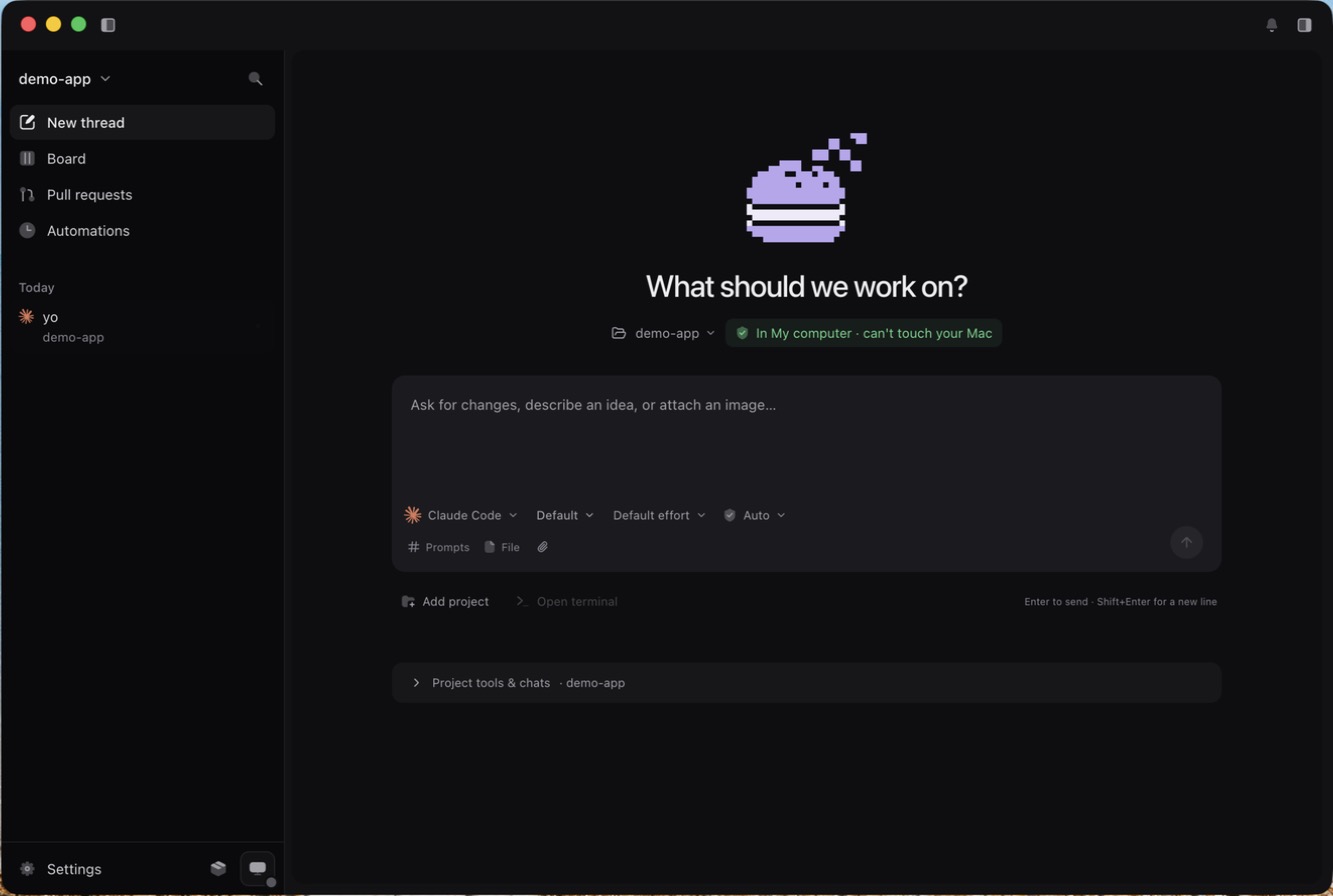
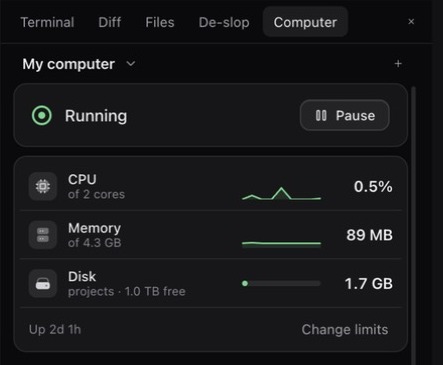
A computer of their own
Give agents a Linux machine, on your Mac with Docker or in the cloud, where they can install, run and break things without touching your files, keys or apps. Work on a sandbox copy of a folder, then apply the changes back when you're happy.
Everything else in the box
- Undo any turn
- Every turn is checkpointed with Git. Edited files show as a card with the lines added and removed, and one click puts them back.
- Review the diff
- Open what changed in the Diff panel before you commit, with Commit & push and pull requests from the same window.
- Live previews
- Apps an agent starts on ports 3000, 5173 or 8080 open on your Mac and show up as the agent's screen in its chat.
- Connectors
- Let a run deploy to Vercel, Netlify, Cloudflare and more by switching a service on for that run only.
- Board and automations
- See every thread by status, and queue tasks to run in parallel on a schedule or from GitHub, Jira or Linear.
- End-to-end tests
- Describe a test in plain English and let an agent drive the real app with tester-army e2e; passing steps replay later without model calls.
Install on Mac
- 1Open the downloaded .dmg and drag Macaron into Applications, then open it.
- 2The first time, macOS says it can't check Macaron, because this preview isn't signed by Apple yet. Open System Settings → Privacy & Security, scroll down and click Open Anyway. You only do this once; updates install themselves.
- 3Add a local project and connect your model account. Optionally sign in to Macaron for shared hosted-computer credits.
- 4Optional: install Docker Desktop to give agents a computer of their own.
Install on Windows
- 1Run the downloaded installer and choose where to install Macaron.
- 2If Windows SmartScreen asks, choose More info, then Run anyway.
- 3Open Macaron, add a local project and connect your model account. Macaron sign-in is optional for local work.
- 4Optional: install Docker Desktop with WSL 2 to give agents a computer of their own.
System requirements
- macOS
- Apple silicon (M1 and later) or Intel Mac, on a current version of macOS
- Windows
- Windows 11, 64-bit (x64)
- Memory
- 8 GB minimum; 16 GB recommended if agents use a local computer
- Disk
- Room for the app, your projects and, if you use one, a local computer
- Accounts
- A Claude, ChatGPT or API key for the agents you use; GitHub for pull requests
- Optional
- Docker Desktop for local computers; Git for checkpoints and diffs (usually already installed)
Each release lists SHA-256 checksums so you can check a download wasn't changed in transit.
Prefer the terminal, or Linux?
Macaron also runs in your browser after you sign in, and as a command line, macaron, that works anywhere Bun does. The command line asks before every edit and command unless you tell it not to.
# from the Macaron source folder
bun install && bun link
cd your-project
macaron
Questions
Is Macaron free?
The desktop app is free to download, and running agents on your own computer is free. Macaron Pro adds cloud computers that keep working while your Mac sleeps, web tools and connections for your agents, and the writer, on the desktop and the web. Your model provider bills your model accounts or keys separately. Pricing.
Does my code leave my computer?
When you run agents on a folder on your computer, your code goes only to the model provider you chose, on your own account. It doesn't pass through our servers. If you create a cloud computer, your code is copied there.
Which agents and models can I use?
Claude Code, Codex and Macaron's own agent, with models from Anthropic, OpenAI, Amazon Bedrock and Google Vertex AI, depending on the accounts you connect.
Do I need Docker?
No. Agents can work on a folder on your computer directly, with every turn undoable. Docker is only needed if you want a local computer that keeps agents away from your files.
How do updates work?
Macaron checks for a new version a few times a day, downloads it in the background and installs it the next time you restart the app. You can turn this off in Settings → Updates.
Is there a Linux version?
Not yet. On Linux, use Macaron in your browser or its command line from source.
How do I uninstall it?
On Mac, drag Macaron from Applications to the Trash. On Windows, use Settings, then Apps. Your projects stay where they are.